Monday, March 2, 2009
How to speed up itunes on vista
This article explains that the searchfilterhost.exe service uses up a lot of time indexing xml files and is what makes itunes run really slow on a Vista machine.

Wednesday, February 11, 2009
Chinese New Year Photos (Big Picture)
The Big Picture is worth a daily visit. Here is a link to a series about the Chinese Lantern Festival.

Tuesday, January 6, 2009

Wednesday, December 17, 2008
2008 in pictures

We are nearing the end of 2008 and here is a link to selections from The Big Picture's photographs of some of the major events.
Thursday, November 20, 2008
LIFE photo archive
Some of the best photojournalism work ever published appeared in LIFE magazine. I am delighted that LIFE's photograph archive is available online, hosted by Google.

Monday, November 17, 2008
DxOMark
Innovations in digital camera technology have been made at a remarkable pace. New cameras are released almost every day and it is hard to even keep up with the different models. DxO Labs have a new DxOMark website which offers objective comparisons of new cameras, particularly digital SLRs and higher end compact cameras that shoot RAW images. The site is well worth visiting if you are considering purchasing a camera.
Saturday, November 15, 2008
Old photographs of Hong Kong
This album has lots of old photos of Hong Kong and his site is well worth a visit. Other photos are available from the online Hong Kong Public Libraries site. The photo below is an aerial view of Tsim Sha Tsui from 1937.

Tuesday, November 11, 2008
The Olympics You Didn't See
Here a great video from David Bernett about his experience covering the Olympic Games in Beijing. Both funny and informative, it is well worth watching. If you are interested in the daily work of a top photojournalist you should also read his blog.
The Olympics You Didn't See from David Burnett on Vimeo.
The Olympics You Didn't See from David Burnett on Vimeo.
Saturday, October 25, 2008
A couple of good Asian photography blogs
Here are a couple of blogs well worth visiting.
- http://www.chngyaohong.com/blog/ A blog from a Singaporian photographer about Asian photography
- http://japan-photo.info/blog/ A blog about Japanese photography
Sunday, September 28, 2008
Matsubishi Japanese Restaurant
This teppanyaki restaurant is very popular so a booking is essential. We normally order one of two meals, the "Tsuke" meal for $190 includes salad, King prawn (or scallops), salmon, beef, soup, pickles, fried rice, dessert or the "Mui" meal has everything except the prawn and salmon $130. There is a 10% service charge.
We have been there many times and have never been disappointed as all of the chefs here are highly trained. The food is always fresh and cooked to perfection. My favourite is the prawn head and the thinly sliced beef. Mrs Fisher likes the thick beef.
If you haven't been to Matsubishi, you definitely should try it out. It is among our recommendations for top five restaurants in Hong Kong and gets 5 out of 5.


Matsubishi Japanese Restaurant
Shop 301 3F
Renaissance Harbour View Hotel
Wanchai.
Tel 28241298.
View Larger Map
We have been there many times and have never been disappointed as all of the chefs here are highly trained. The food is always fresh and cooked to perfection. My favourite is the prawn head and the thinly sliced beef. Mrs Fisher likes the thick beef.
If you haven't been to Matsubishi, you definitely should try it out. It is among our recommendations for top five restaurants in Hong Kong and gets 5 out of 5.


Matsubishi Japanese Restaurant
Shop 301 3F
Renaissance Harbour View Hotel
Wanchai.
Tel 28241298.
View Larger Map
Saturday, September 27, 2008
Hong Kong/Shenzhen border

Here is a photo of the Shenzhen River at Lo Wu which separates Hong Kong and Shenzhen. Shenzhen is on the right and Hong Kong on the left. Lo Wu is the busiest immigration point in Hong Kong. The introduction of automated booths which verify identify via fingerprints has done a lot to improve its efficiency.
Wednesday, September 10, 2008
Cottage Farm, Hay-on-Wye
As indicated by its name, Hay is by the Wye River, on the border between England and Wales. Hay is best known for its large number of second hand bookshops and is hence a bibliophile's paradise. Their official website is an good source of information.
We went horse riding with the Tregoyd Mountain Riding Centre, located in the nearby Black Mountains, and enjoyed the beautiful scenery that Wales has to offer.


Hay Castle has a history dating back to the 12th century and is the central landmark. It was burnt down (or destroyed in other ways) on numerous occasions and its west wing serves as a bookshop.

Here is a photograph taken from the castle, looking back onto the main street.

We had an excellent holiday there staying at Cottage Farm, an excellent bed and breakfast.

Cottage Farm is run by Julie Jones who made us feel like part of her family. Her breakfasts were definitely something to look forward to. Our room was extremely clean and comfortable. Overall, it was the best bed and breakfast we have experienced.

We went horse riding with the Tregoyd Mountain Riding Centre, located in the nearby Black Mountains, and enjoyed the beautiful scenery that Wales has to offer.


Hay Castle has a history dating back to the 12th century and is the central landmark. It was burnt down (or destroyed in other ways) on numerous occasions and its west wing serves as a bookshop.

Here is a photograph taken from the castle, looking back onto the main street.

We had an excellent holiday there staying at Cottage Farm, an excellent bed and breakfast.

Cottage Farm is run by Julie Jones who made us feel like part of her family. Her breakfasts were definitely something to look forward to. Our room was extremely clean and comfortable. Overall, it was the best bed and breakfast we have experienced.

Friday, August 29, 2008
Hong Kong maps
Here are some excellent maps of Hong Kong courtesy of the MTR. They are the same as the ones showing local roads and buildings located in the stations. Public transport connections are also given. The one for Wanchai is shown below.

For an online map, Centaline and Google (see below) are good choices.
View Larger Map

For an online map, Centaline and Google (see below) are good choices.
View Larger Map
Tuesday, August 19, 2008


Wednesday, August 6, 2008
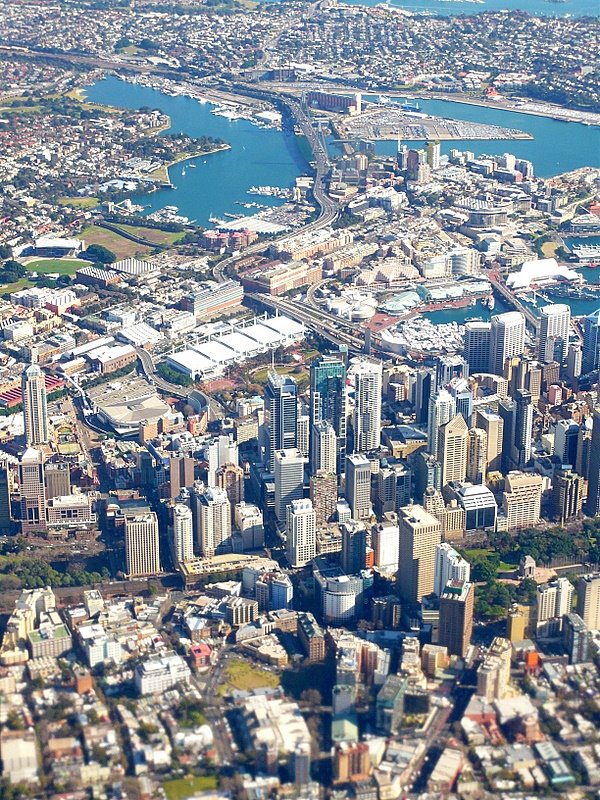
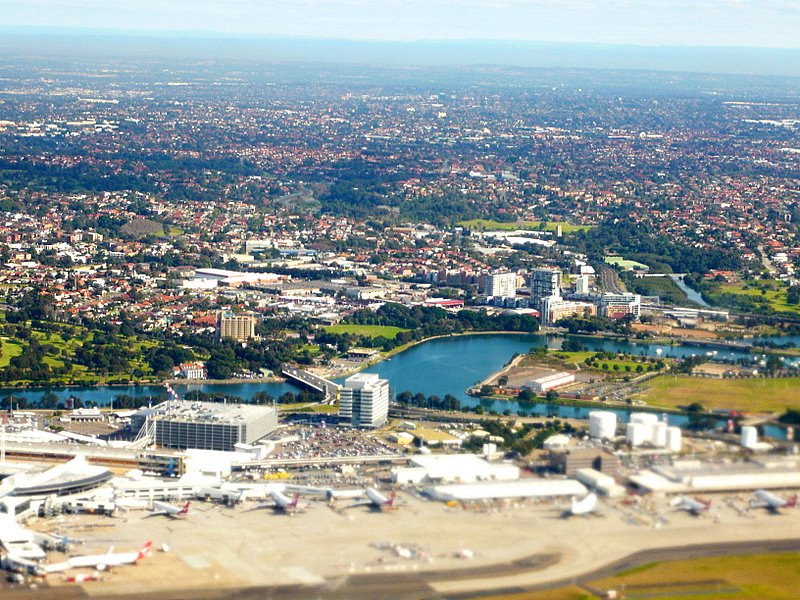
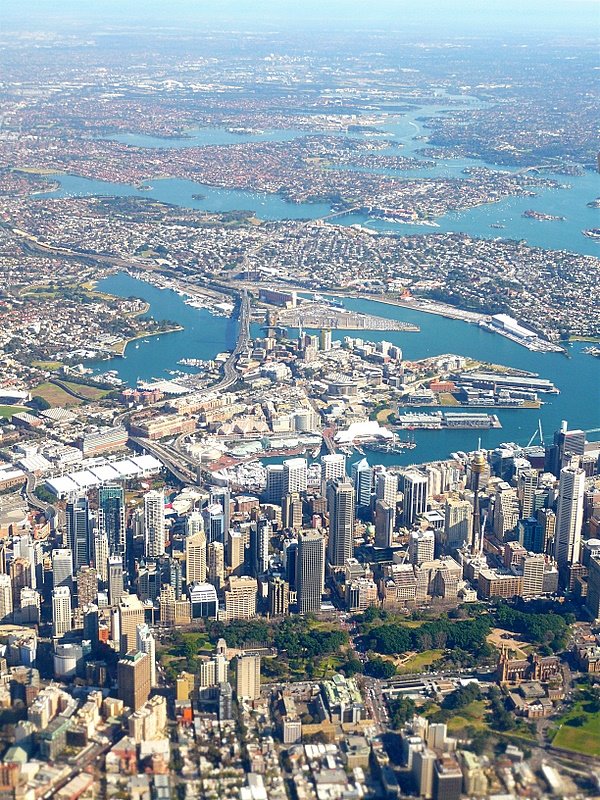
Aerial Photographs of Sydney
Hear are some aerial photographs of Sydney, taken through the window of a commercial plane.
Sunday, July 27, 2008
More thumb drive apps
On top of PortableApps described in my previous blog posting, I also include the following free programs on my flash drive:
- Portable gvim (editor with spell check)
- Portable skype (voip). You install this by copying the Skype directory from a working installation to your flash drive. In the "Phone" subdirectory, make a new file "skype.bat" with the following as the contents: skype.exe /datapath:".." /removable
- YamiPod (ipod support)
- Restoration (undelete files)
There are a few other websites devoted to just this topic. These include:
- http://portableapps.com/
- http://www.pendriveapps.com/
- http://www.everythingusb.com/software.html
- http://usb-flash-drive-review.toptenreviews.com/the-best-free-usb-flash-drive-applications.html
- http://www.snapfiles.com/features/ed_usb_software.html
All the above together with PortableApps take less than 800 MB. With these installed, I can work completely from my flash drive. The same applications also live on my laptop.
PortableApps
USB flash drives are now pervasive as they are a convenient way to carry around large amounts of data. I will be travelling soon and used this as a reason to update my PortableApps installation on my flash drive.
PortableApps is a freww application, ideal for the user who wants to bring their computing environment along with them on a flash drive. I like to have OpenOffice, Firefox, music player, ssh and a few other applications with me at all times along with some of my data such as powerpoint slides for presentations, address book etc.
All of the above is made easy with PortableApps. If I need to use a machine which is not my own, all I have to do is to plug in my flash drive and all my preloaded applications are available. In addition, the applications are configured to save data and settings back to the thumb drive (without leaving anything on the host computer). This means that you will not accidentally leave private or confidential information on the host machine.
The following applications are included by default:
- Mozilla Firefox, Portable Edition (web browser)
- Mozilla Thunderbird, Portable Edition (email)
- Mozilla Sunbird, Portable Edition (calendar/tasks)
- ClamWin Portable (antivirus)
- Pidgin Portable (instant messaging)
- Sumatra PDF Portable (PDF reader
- KeePass Password Safe Portable (password manager)
- Sudoku Portable (game)
- Mines-Perfect Portable (game)
- CoolPlayer+ Portable (audio player)
- OpenOffice.org Portable (office suite)
- Writer (word processor)
- Calc (spreadsheet)
- Impress (presentations)
- Base (database utility)
- Draw (drawing)
PortableApps allows other applications to be added on top of the base ones and I have included:
- 7-zip (compression software)
- Audacity (audio editor and recorder)
- BonkEnc (extract, convert and encode audio)
- Eraser (securely erase files)
- GIMP (photo and image editor)
- InfraRecorder (CD/DVD burner)
- Putty (ssh client)
- Toucan (backup, sync and encrypt)
- VLC media player (play videos)
- WinSCP (sftp, ftp and scp)
Overall, if you want a nice suite of tools to keep with you on your flash drive, PortableApps is highly recommended.
Thursday, July 24, 2008
Sean Gallagher
Magnum photographer, David Alan Harvey, has an emerging photographer's fund. The first recipient, Sean Gallagher, had an excellent photographic essay on the encroaching desert in China which is well worth viewing.
Manuel Libres Librodo Jr.
I came across these wonderful photos of Asia by Manuel Libres Librodo Jr. He captures people in their environment and he is a truly excellent photographer.
Saturday, July 19, 2008
Rainbow over Ocean Park
Caught this picture of a rainbow over Ocean Park while on my way to Lamma Island by ferry.


Subscribe to:
Posts (Atom)